The short answer
You can no longer make a video call on the original Omegle. It closed on 8 November 2023 and has no official relaunch. You can still do the same thing, a free random video call with a stranger, from any browser. On Aznabee it takes three steps: open the site, press Start and allow your camera. There is no account, no email address and no payment, and you must be 18 or older.
Is "Omegle video call" still a thing?
The phrase still gets searched every day because the format is easy to describe. You open a page, the site connects you to a stranger on camera, and you can skip to the next person whenever you like.
The original service ended in November 2023 after 14 years. Since then, several independent sites have copied the format, and some of them use "Omegle" in their name or web address. Any site using the name today is independent of the original service. So the useful question is not "is Omegle back?" but "which of the current sites do I want to use?"
How to start a free random video call
- Use a current browser. Chrome, Edge, Firefox or Safari on desktop, Android or iPhone all work. Nothing needs installing.
- Open aznabee.com and press Start.
- Confirm you are 18 or over. A click-through age confirmation appears before your first chat.
- Allow camera and microphone. Your browser asks once. You can join with your camera off, and you can mute either one at any time.
- Talk, type or skip. You are matched with a stranger for a call of up to 10 minutes. You can type messages during the call, skip to someone new whenever you want, or report anyone who breaks the rules.
That is the whole flow. There is no profile to build and nothing to verify.
What to check before you pick any random video call site
Sites that copy Omegle differ a lot. These are the questions worth asking before you allow your camera:
| Question | Why it matters | What Aznabee does |
|---|---|---|
| Does it need an account or email? | An email links your chats to an identity and can be used for marketing | No account or email. Optional sign-in exists only for the Creator Program |
| Is there an age gate? | Adult-only sites should say so up front | 18+ only, with a click-through confirmation before the first chat |
| Is video moderated? | Unmoderated video is the biggest complaint about the genre | A model in your browser checks one frame of your outgoing video about every 1.5 seconds; flagged video is blacked out for the other person |
| Are there time limits? | Affects how a conversation feels | 10-minute calls, then a new match |
| Does it charge for filters? | Paid filters change who ends up in the free queue | No gender or country filters at all, free or paid (see filters in random video chat) |
| Who runs it, and can you contact them? | You should be able to reach a person if something goes wrong | [email protected], plus a privacy policy and terms |
Moderation is never perfect, on any site. It cannot catch everything, which is why every call also has Skip and Report buttons.
What a call on Aznabee looks like
You see your own camera preview, the other person's video, a text chat box and the Skip and Report buttons. Calls use WebRTC, so audio and video travel directly between the two browsers when the network allows, and through an encrypted relay when it does not. How WebRTC works explains the details. Aznabee does not record calls. A single frame is stored only when moderation flags video or a user files a report.
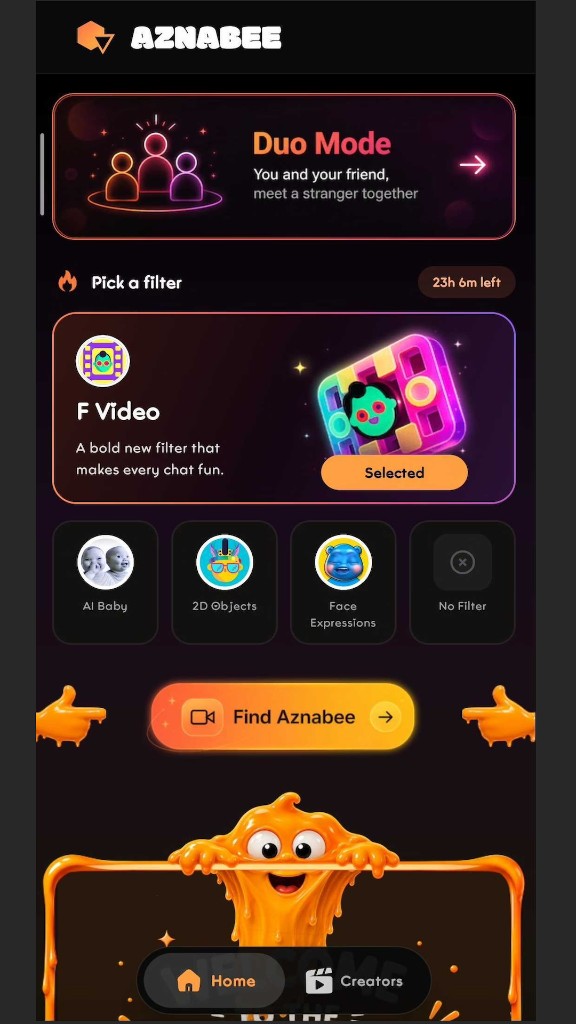
If you would rather not go alone, Duo Mode lets you share a 6-character code with a friend and meet one stranger together as a three-person call.
Using it on a phone
The web version works in mobile Chrome and Safari, and there is an optional Android app on Google Play. On iPhone, the site works in Safari with nothing to install. The phone guide covers camera permissions and the in-app browser problem.
If the call will not connect
- Check permissions. If you tapped Block when the browser asked for camera access, the call cannot start until you allow it in the site settings.
- Close other apps that use the camera, such as Zoom, Teams or OBS.
- Open the link in your phone's own browser. Links opened inside the Instagram, Facebook or Snapchat in-app browser can block the camera and microphone.
- Try another network. Strict office or school networks can block direct connections. A phone hotspot is a quick test.
- Turn off VPNs and privacy extensions for a minute. Some of them block or reroute WebRTC.
The troubleshooting guide goes through each symptom in turn.
No filters, and nothing to pay for
There are no interest tags and no gender or country filters, and nothing to buy that changes who you meet. Everyone joins the same queue, so you get whoever is next, free from the first call to the thousandth.
Want to see what else is out there? The comparison of Omegle alternatives puts the main sites side by side.
Frequently asked questions
Is there a free Omegle video call?
The original Omegle is closed. Aznabee is a free alternative with the same open-a-page, get-matched, skip loop. It is not affiliated with Omegle.
Can I make an Omegle-style video call without signing up?
Yes. Aznabee asks for no account, email or phone number. You only confirm that you are 18 or over.
Is a random video call safe?
Safer is not the same as safe. Moderation helps, but you should keep personal details to yourself and leave any chat that feels wrong. The safety guide has the rules that matter most.
How long can a call last?
Each call runs for up to 10 minutes. When it ends you are matched with someone new, and you can start as many calls as you like.
Can I use it on an iPhone?
Yes, in Safari or another iPhone browser, with nothing to install. AR lenses are available only on desktop browsers and the Android app.