The short answer
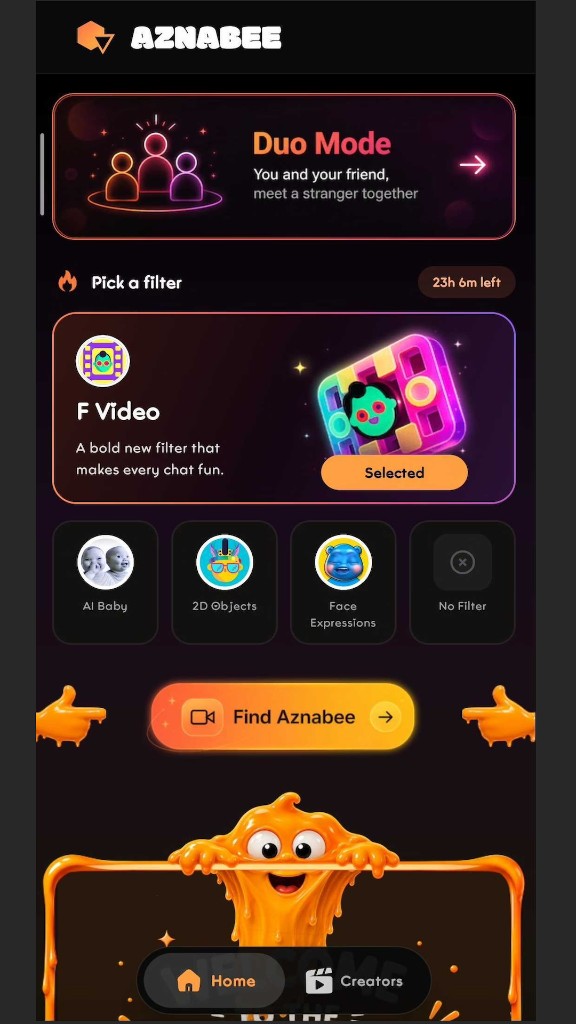
On an iPhone, open aznabee.com in Safari. There's nothing to install. On Android, use Chrome, or install the Aznabee Android app from Google Play. Both work with no account, and both need you to allow camera and microphone access once.
Browser or app?
| Phone browser | Android app | |
|---|---|---|
| Install needed | No | Yes, from Google Play |
| Random 1:1 video chat | Yes | Yes |
| Duo Mode | Yes | Yes |
| AR lenses | Not on mobile browsers | Yes |
| Notifications when creators go live | No | Yes |
If you only want to meet strangers, the browser is enough. The app adds AR lenses and notifications, which matter mostly if you follow creators on Aznabee.
iPhone, step by step
- Open Safari and go to aznabee.com. Other iPhone browsers, such as Chrome, use Apple's web engine and ask for camera access the same way.
- Press Start and confirm you are 18 or over.
- When the browser asks to use the camera and microphone, tap Allow.
- You are matched with a stranger. Tap Skip for someone new, or Report if someone breaks the rules.
If you tapped Don't Allow by mistake, the call cannot show video until you change it. In Safari, tap the aA icon in the address bar, choose Website Settings, and set Camera and Microphone to Allow. Then reload the page.
Android, step by step
- Open Chrome and go to aznabee.com, or open the Aznabee app.
- Press Start and confirm you are 18 or over.
- Tap Allow on the camera and microphone prompts.
- If you blocked access earlier, tap the lock icon in Chrome's address bar, open Permissions, and allow Camera and Microphone.
The in-app browser problem
Links opened from Instagram, Facebook or Snapchat load inside that app's own browser. Those browsers often block the camera and microphone, so a video call cannot start. Aznabee detects some of them and shows a prompt, but the fix is the same everywhere:
- Tap the menu icon (often three dots) in the corner of the page.
- Choose Open in browser, Open in Safari or Open in Chrome.
- Press Start again.
Data and battery
A video call needs a steady connection of roughly 1 Mbps up and down. Video calls typically use hundreds of megabytes per hour, so use Wi-Fi if you are on a limited mobile data plan. Video also drains the battery faster than most apps, so plug in for a long session.
Tips for a better call on a phone
- Prop the phone up instead of holding it. A steady frame is easier to talk to.
- Use headphones to avoid echo, since a phone microphone sits close to its speaker.
- Keep the page open. Switching to another app can pause the camera, and the other person will see a frozen or black video.
- Join with the camera off if you want to hear a conversation first. You can switch it on at any time.
What works the same as on a computer
Skip, Report, text chat during the call, the 10-minute call timer and Duo Mode all work on mobile browsers. The only difference is AR lenses, which need a desktop browser or the Android app.
If the camera will not start
See random video chat not working: how to fix it for a symptom-by-symptom guide. Most phone problems come down to a blocked permission or an in-app browser.
Frequently asked questions
Can I use Aznabee on an iPhone?
Yes. Open the site in Safari or another iPhone browser and press Start. You get the same chat, skip and Duo Mode features with nothing to install. AR lenses are not available on mobile browsers.
Do I need to install an app to use random video chat on my phone?
No. The website works in mobile Chrome and Safari with no install.
Why does the camera not work when I open the link from Instagram?
The in-app browser inside Instagram, Facebook and Snapchat often blocks camera and microphone access. Open the link in Safari or Chrome instead.
Does random video chat use a lot of mobile data?
Video calls typically use hundreds of megabytes per hour, so use Wi-Fi on a limited plan.
Can I use AR lenses on my phone?
Only in the Android app. Mobile browsers do not support them on Aznabee.